Call Attached Data (CAD) allows you to configure key-value pairs that are attached to calls and passed to downstream integrations and APIs.
CAD fields can be configured in two places:
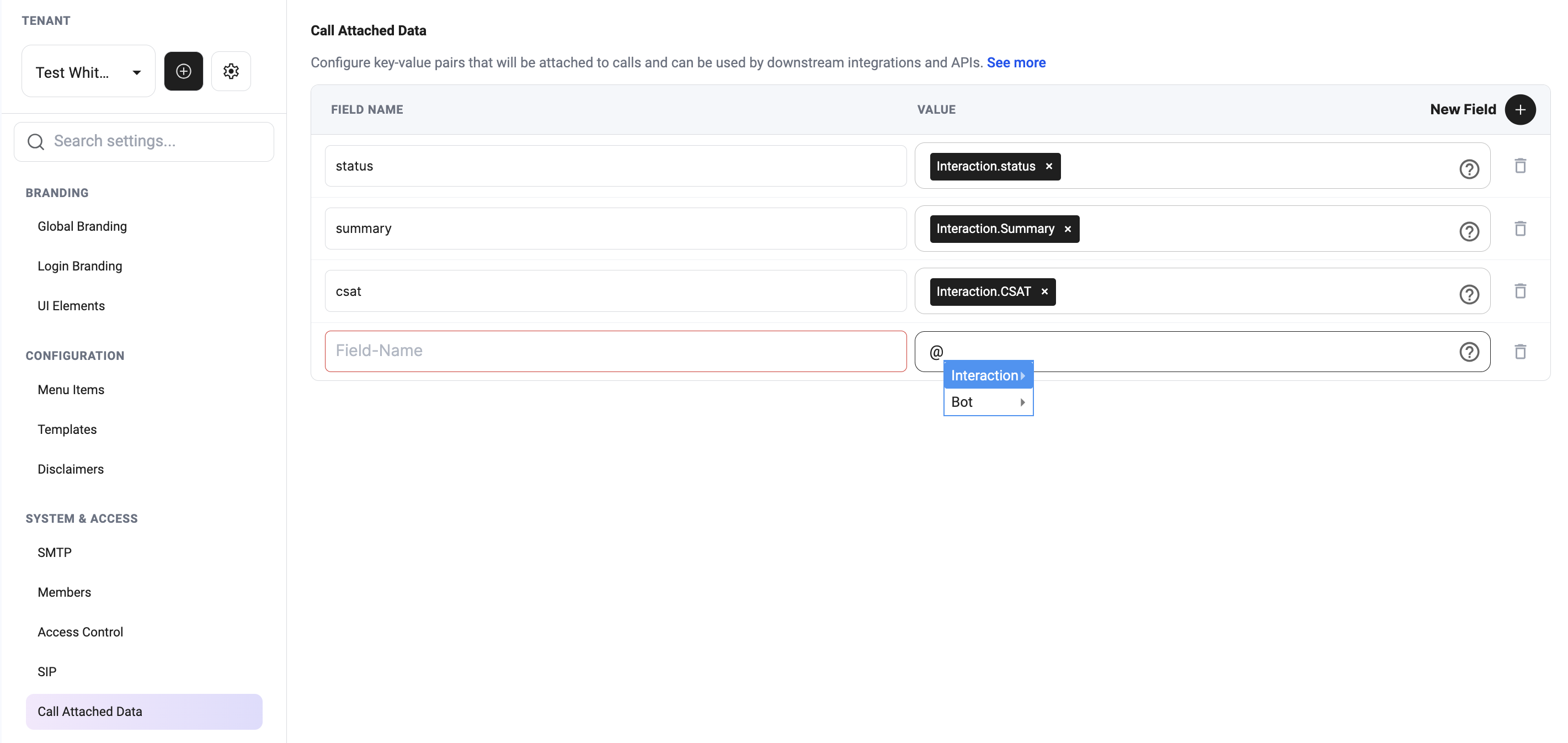
- Platform settings — CAD fields applied across the tenant.
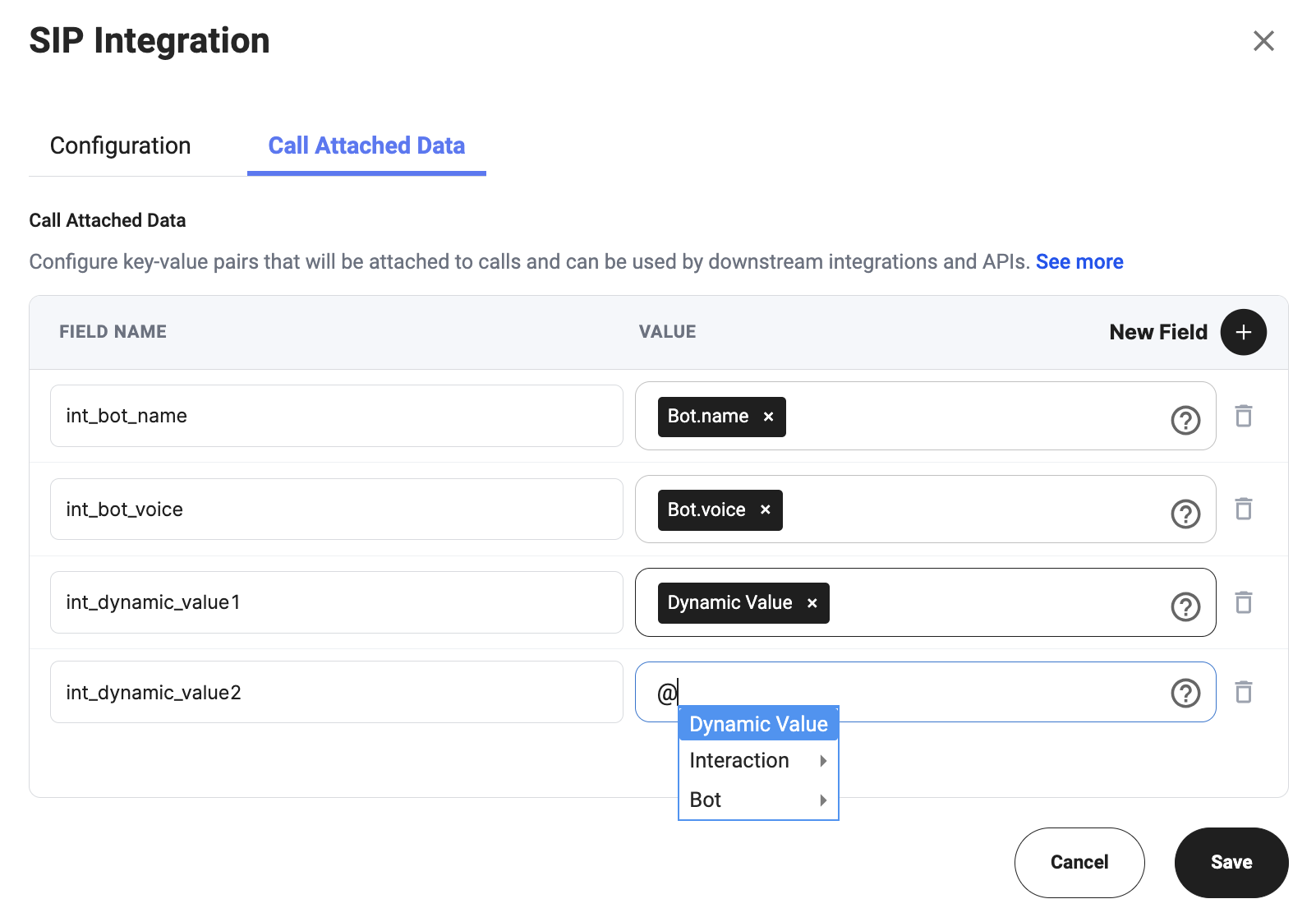
- Bot configuration — CAD fields applied only to interactions for the current bot.
All interactions in this tenant will use the CAD fields configured in Platform settings.
Platform Settings → System & Access → Call Attached Data
Agent Configuration → Integrations → SIP Integration → Call Attached Data
To configure CAD fields for a specific bot:
- Open Bot configuration.
- Go to Integrations.
- Open SIP Integration.
- Select the Call Attached Data tab.
- Click New Field.
- Add the Field Name.
- Select or enter the Value.
- Click Save.
Only interactions in the current bot will use the CAD fields configured in the bot’s SIP Integration settings, together with CAD fields from Platform settings.
Field Name
The Field Name is the key that will be sent with the call.
Use clear and consistent names so downstream systems can recognize the data correctly.
Examples:
statussummarycsatint_bot_nameint_bot_voiceint_dynamic_value1
Value
The Value is the data attached to the field.
You can use available variables from the selector, such as:
- Interaction variables
- Bot variables
- Dynamic Value variables
Examples:
Interaction.statusInteraction.SummaryInteraction.CSATBot.nameBot.voiceDynamic Value
Example
| Field Name | Value |
|---|
status | Interaction.status |
summary | Interaction.Summary |
csat | Interaction.CSAT |
int_bot_name | Bot.name |
int_bot_voice | Bot.voice |
Read CAD Fields
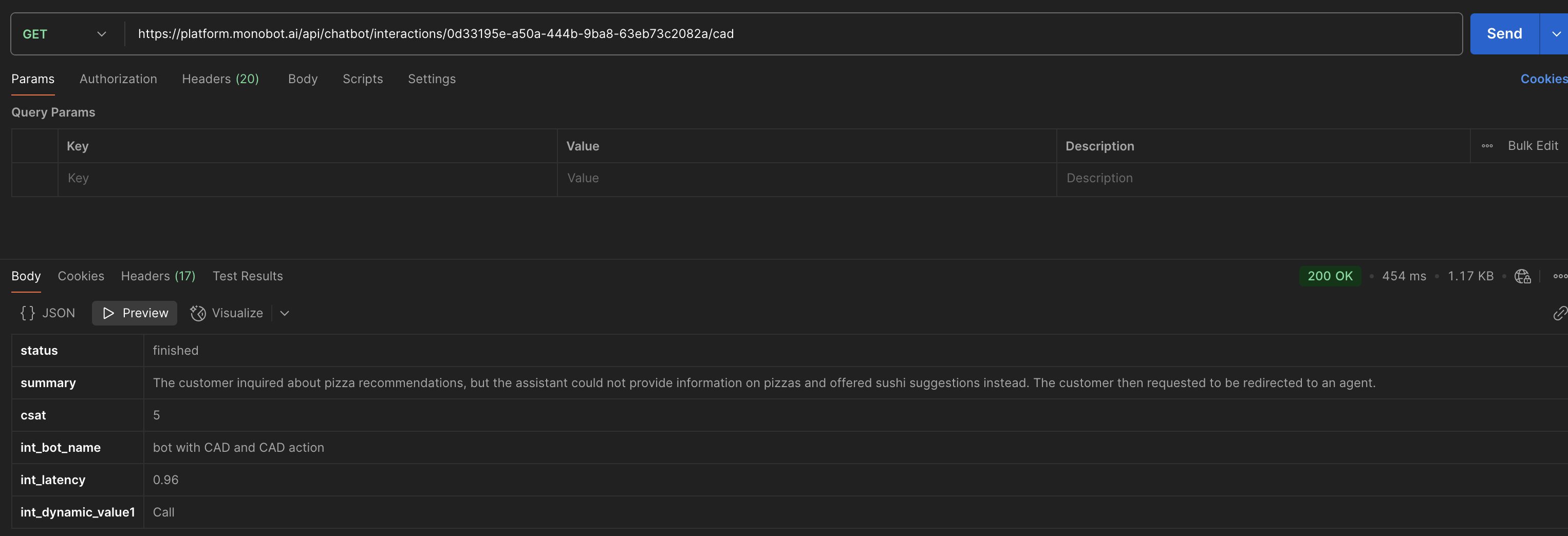
Call Attached Data (CAD) fields attached to interactions can be retrieved using API endpoints.
Supported response formats:
GET https://platform.monobot.ai/api/chatbot/interactions/{interactionId}/cad
Path Parameters
| Parameter | Type | Description |
|---|
| interactionId | string | Unique interaction identifier. |
Response Example
{
  "status": "finished",
  "summary": "The customer requested to be redirected to an agent.",
  "csat": 5,
  "int_bot_name": "Support Bot",
  "int_latency": 0.96
}
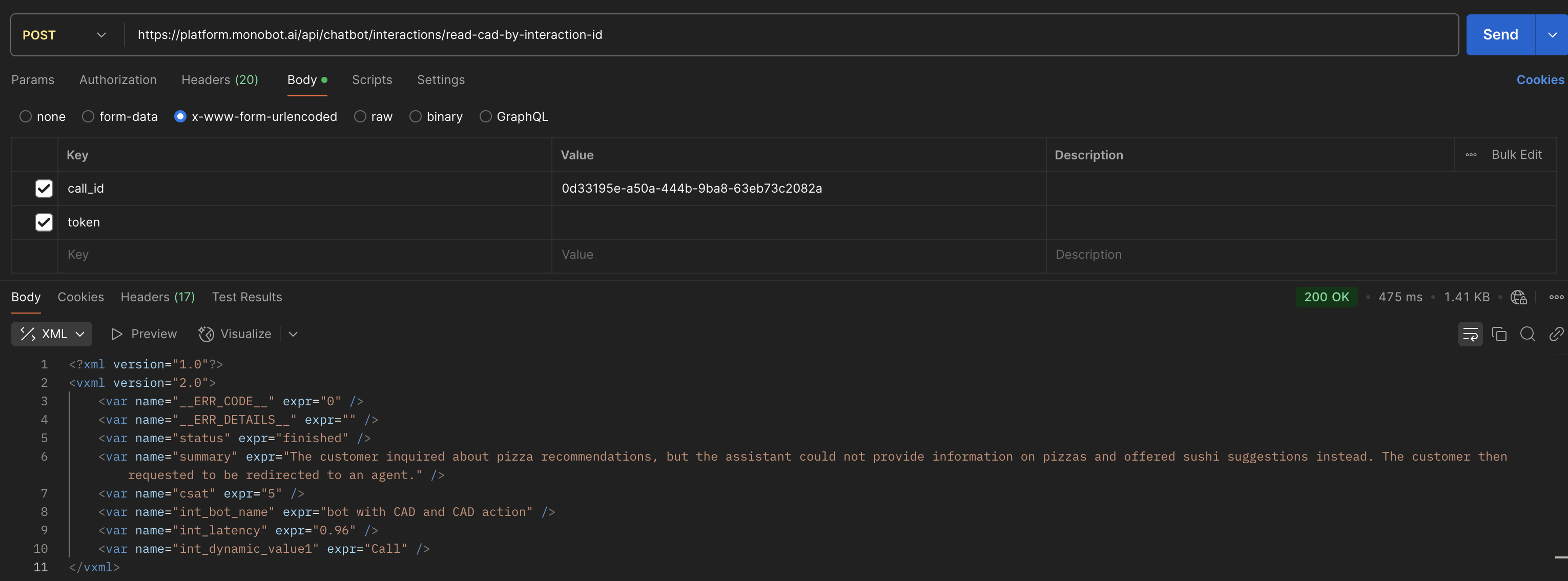
POST https://platform.monobot.ai/api/chatbot/interactions/read-cad-by-interaction-id
Body Parameters
| Parameter | Type | Description |
|---|
| call_id | string | Interaction or call identifier. |
| token | string | Authentication token. |
x-www-form-urlencoded
Response Example
<?xml version="1.0"?>
<vxml version="2.0">
    <var name="status" expr="finished" />
    <var name="summary" expr="The customer requested to be redirected to an agent." />
    <var name="csat" expr="5" />
    <var name="int_bot_name" expr="Support Bot" />
</vxml>
Notes
- CAD fields are returned based on interaction-level and bot-level CAD configuration.
- Returned fields may vary between interactions depending on configured dynamic variables.
- JSON format is recommended for API integrations and external systems.
- XML format is primarily used for SIP and telephony workflows.
- Empty or undefined CAD fields may be omitted from the response.